AI Prompt Studio
Organize, analyze, and enhance image creation workflow with AI in Prompt Studio.
Free
5.0
What is AI Prompt Studio?
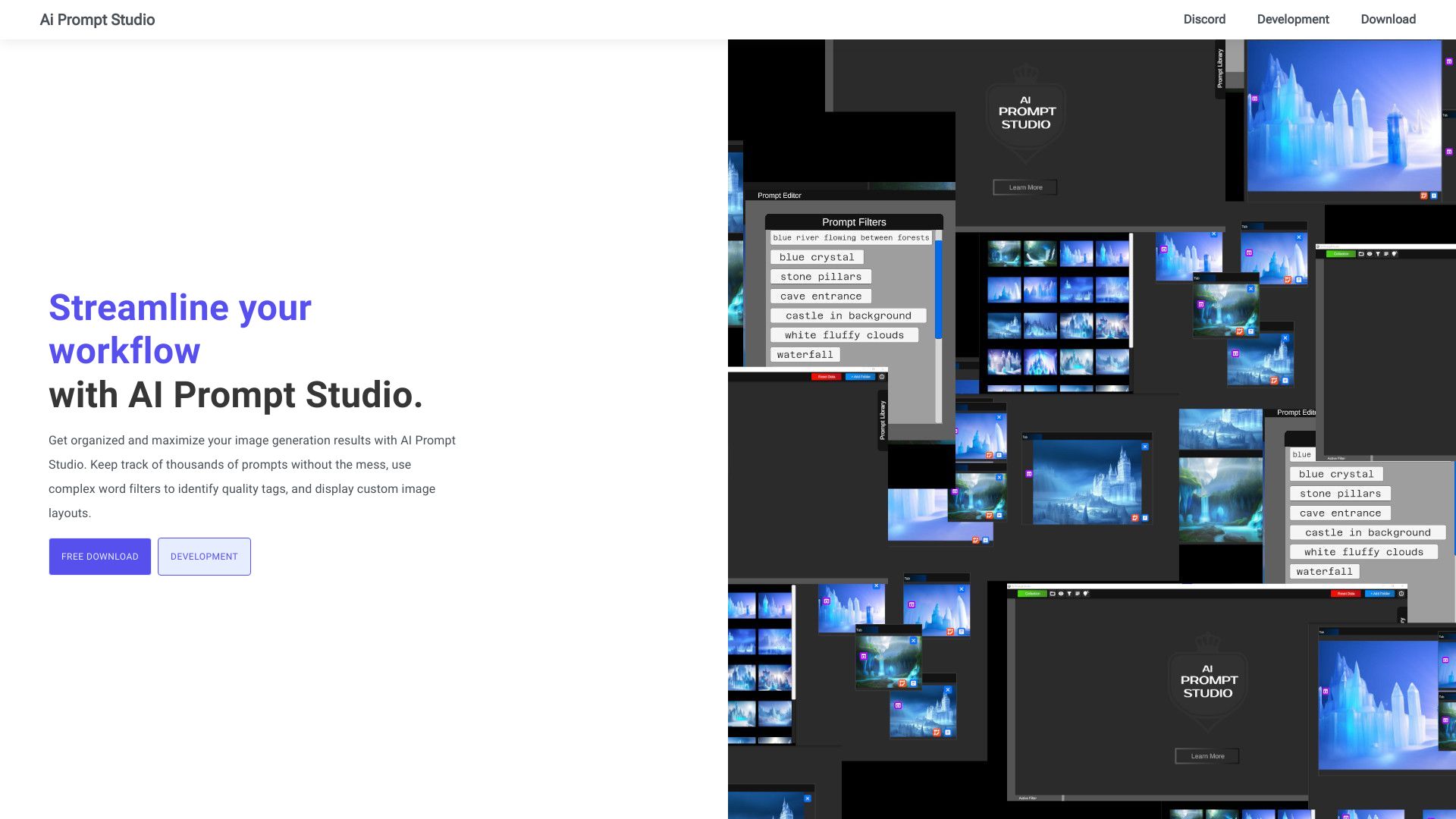
Prompt Studio is a software application designed to enhance users' workflow with artificial intelligence image generation. It helps prompt engineers organize and improve their results for creating diffusion images by managing prompts, trigger words, and meta data. With an organized library, users can compare, examine, and share their generated images easily. The tool also offers complex word analysis to identify quality tags for use in prompts and allows for customization of image layouts.
About
Organize, analyze, and enhance image creation workflow with AI in Prompt Studio.
How to Use AI Prompt Studio
To use Prompt Studio, follow these steps:1. Install the software application on your computer or device.2. Launch Prompt Studio and create a user account.3. Familiarize yourself with the interface, which includes various sections for organizing prompts, trigger words, and meta data.4. Begin by creating prompts by entering relevant keywords or phrases in the prompt creation section.5. Utilize the complex word analysis feature to identify and incorporate quality tags in your prompts.6. Explore the custom image layout options to personalize the appearance of your generated images.7. Save your prompts and generated images in the library for easy access and comparison.8. Share your creations with others by using the sharing feature.9. Regularly review and update your prompts and trigger words to continually improve your generation results.
Frequently Asked Questions
What is Prompt Studio?
Prompt Studio is a software application that enhances users' workflow with AI image generation.
How do I use Prompt Studio?
To use Prompt Studio, simply install the software, create an account, and begin organizing and crafting prompts for image generation.
What are the core features of Prompt Studio?
The core features of Prompt Studio include prompt and trigger word management, meta data organization, complex word analysis for quality tag identification, customizable image layouts, and a library for image comparison, examination, and sharing.
What are the use cases for Prompt Studio?
Prompt Studio can be used in various scenarios such as creative projects, marketing campaigns, content creation, educational purposes, and research and development.
Is pricing information available for Prompt Studio?
Pricing information for Prompt Studio is not mentioned. Please visit the official website for more details.
Can I share my generated images with others using Prompt Studio?
Yes, Prompt Studio allows you to easily share your generated images with others.
Can Prompt Studio help me create visual content for my marketing campaigns?
Yes, Prompt Studio is designed to aid marketers and advertisers in generating relevant images for their campaigns.
How can educators benefit from using Prompt Studio?
Educators can use Prompt Studio to create visual aids or illustrations for presentation materials or assignments.
Can Prompt Studio be used for research and development purposes?
Yes, researchers and developers can leverage Prompt Studio to quickly generate custom images for testing or analysis purposes.
Quick Info
- Pricing
- free
- Platforms
- website
Best For
- Prompt Studio can be used in various scenarios, including but not limited to:1. Creative Projects: Prompt Studio aids artists, designers, and writers in generating inspirational or concept images for their work.2. Marketing Campaigns: Prompt Studio helps marketers and advertisers create visual content for campaigns by generating relevant images.3. Content Creation: Bloggers, social media managers, and content creators can utilize Prompt Studio to generate images to accompany their articles, posts, or videos.4. Educational Purposes: Prompt Studio can be used by educators and students to create visual aids or illustrations for presentation materials or assignments.5. Research and Development: Researchers and developers can leverage Prompt Studio to quickly generate custom images for testing or analysis purposes.
Tags
#AI image generation#workflow optimization#prompt organization#diffusion image models#quality tag identification#image layout customization#library management#image sharing