TripZi
Effortlessly extract and save locations from webpages with TripZi.
Free
5.0
What is TripZi?
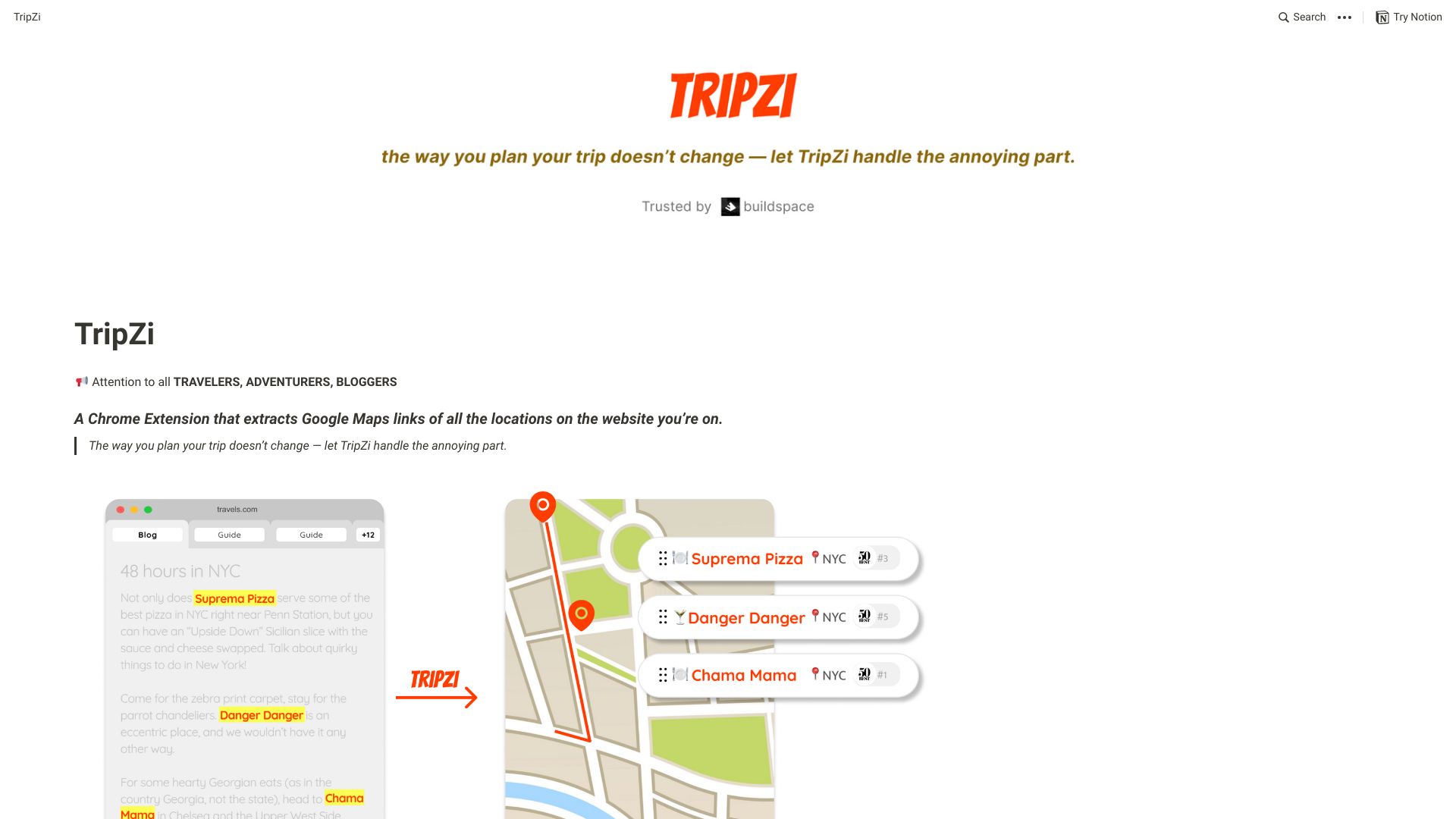
TripZi is a Chrome Extension that allows users to browse webpages, extract locations, link them to maps, and save them to their profile.
About
Effortlessly extract and save locations from webpages with TripZi.
How to Use TripZi
To use TripZi, simply install the Chrome Extension. Once installed, browse webpages and TripZi will automatically extract the locations. Click on the locations to view them on Google Maps and save them to your profile.
Frequently Asked Questions
How does TripZi extract locations from webpages?
TripZi uses an algorithm to scan webpages for identifiable location information and extracts the relevant data.
Can I view the locations on Google Maps?
Yes, you can click on the extracted locations to view them directly on Google Maps.
Can I save the locations to my profile?
Absolutely! TripZi allows you to save the extracted locations to your personal profile for easy access later.
Quick Info
- Company
- TripZi
- Pricing
- free
- Platforms
- website
Best For
- Ideal for travel enthusiasts
- Great for bloggers who write about travel
- Perfect for adventurers planning trips
Social Links
Tags
#Travel#Chrome Extension#Web Browsing#Location Extraction#Mapping#Profile Saving